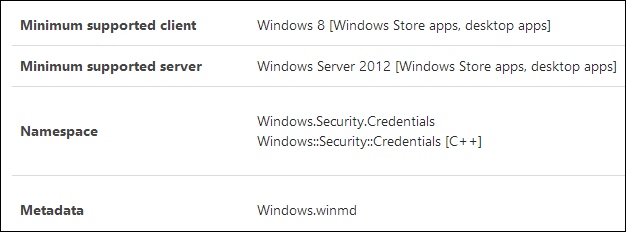
The MSDN documentation for some Windows 8 API classes, such as PasswordVault, indicates that the class can be used from both a Windows Store application and a desktop application (Console, WinForms, or WPF):
For a Windows Store application, no additional references are needed; just add the required using directive. For a desktop application, the setup is slightly more involved:
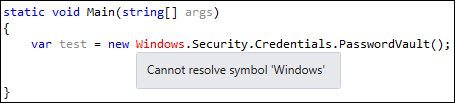
Here is the procedure for using the API from a desktop application:
Edit the csproj file and add <TargetPlatformVersion>8.0</TargetPlatformVersion>
csproj (MSBuild project file)
<?xml version="1.0" encoding="utf-8"?>
<Project ToolsVersion="12.0" DefaultTargets="Build" xmlns="http://schemas.microsoft.com/developer/msbuild/2003">
<PropertyGroup>
  <Configuration Condition=" '$(Configuration)' == '' ">Debug</Configuration>
  <Platform Condition=" '$(Platform)' == '' ">AnyCPU</Platform>
  <ProjectGuid>{BEA97844-0370-40C1-A435-F95DC0DC0677}</ProjectGuid>
  <OutputType>Exe</OutputType>
  <AutoGenerateBindingRedirects>true</AutoGenerateBindingRedirects>
  <TargetPlatformVersion>8.0</TargetPlatformVersion>
Add a reference to Windows
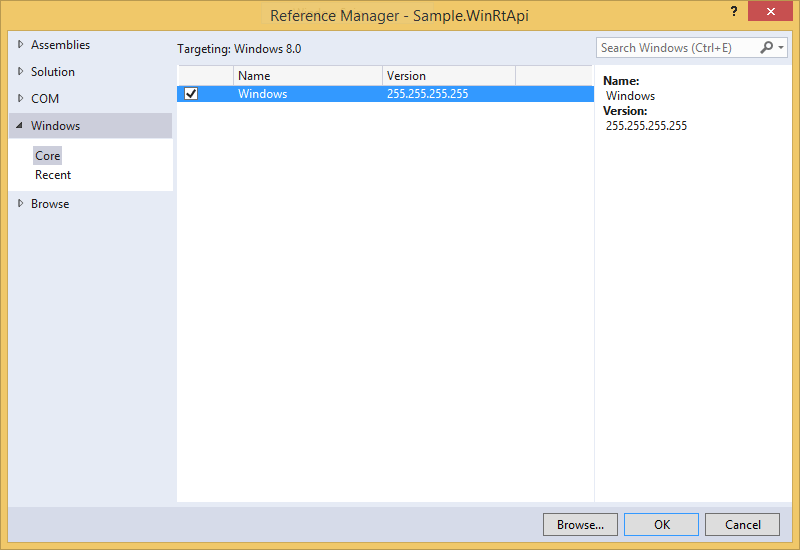
Add a reference to System.Runtime (C:\Program Files (x86)\Reference Assemblies\Microsoft\Framework\.NETCore\v4.5\System.Runtime.dll)
Use the API
You can now access a WinRT API class from your desktop application:
C#
var vault = new Windows.Security.Credentials.PasswordVault();
var credentials = vault.RetrieveAll();
foreach (PasswordCredential credential in credentials)
{
    Console.WriteLine("{0} {1}", credential.Resource, credential.UserName);
}
Do you have a question or a suggestion about this post? Contact me!
