async void methods are not a recommended way to define async methods. You should return a Task or ValueTask instead, so callers can await the operation. But is it actually possible to await an async void method? This is not a recommendation to use async void in your code; it is simply an exploration of whether it can be done.
When you create an async void method, the compiler generates code for you. You can see the generated code using a decompiler or Sharplab: async void example. The most interesting part is the usage of AsyncVoidMethodBuilder:
C#
public void MyAsyncMethod()
{
    <MyAsyncMethod>d__0 stateMachine = default(<MyAsyncMethod>d__0);
    stateMachine.<>t__builder = AsyncVoidMethodBuilder.Create();
    stateMachine.<>1__state = -1;
    stateMachine.<>t__builder.Start(ref stateMachine);
}
This AsyncVoidMethodBuilder.Create method starts by capturing the current SynchronizationContext (source code):
C#
public static AsyncVoidMethodBuilder Create()
{
    SynchronizationContext? sc = SynchronizationContext.Current;
    sc?.OperationStarted();
    return new AsyncVoidMethodBuilder() { _synchronizationContext = sc };
}
Then, the builder will execute the async state machine and report completion to the captured SynchronizationContext using SynchronizationContext.OperationCompleted() (source code):
C#
public void SetResult()
{
   // [code omitted for brevity]

   _builder.SetResult();
   if (_synchronizationContext != null)
   {
        NotifySynchronizationContextOfCompletion();
   }
}

private void NotifySynchronizationContextOfCompletion()
{
   try
   {
        _synchronizationContext.OperationCompleted();
   }
   catch (Exception exc)
   {
       // If the interaction with the SynchronizationContext goes awry,
       // fall back to propagating on the ThreadPool.
       Task.ThrowAsync(exc, targetContext: null);
   }
}
This means we can implement a custom SynchronizationContext, set it before calling the async void method, and then wait for OperationCompleted to be called to know when the operation has finished.
C#
sealed class AsyncVoidSynchronizationContext : SynchronizationContext
{
    private static readonly SynchronizationContext s_default = new SynchronizationContext();

    private readonly SynchronizationContext _innerSynchronizationContext;
    private readonly TaskCompletionSource _tcs = new();
    private int _startedOperationCount;

    public AsyncVoidSynchronizationContext(SynchronizationContext? innerContext)
    {
        _innerSynchronizationContext = innerContext ?? s_default;
    }

    public Task Completed => _tcs.Task;

    public override void OperationStarted()
    {
        Interlocked.Increment(ref _startedOperationCount);
    }

    public override void OperationCompleted()
    {
        if (Interlocked.Decrement(ref _startedOperationCount) == 0)
        {
            _tcs.TrySetResult();
        }
    }

    public override void Post(SendOrPostCallback d, object? state)
    {
        Interlocked.Increment(ref _startedOperationCount);

        try
        {
            _innerSynchronizationContext.Post(s =>
            {
                try
                {
                    d(s);
                }
                catch (Exception ex)
                {
                    _tcs.TrySetException(ex);
                }
                finally
                {
                    OperationCompleted();
                }
            }, state);
        }
        catch (Exception ex)
        {
            _tcs.TrySetException(ex);
        }
    }

    public override void Send(SendOrPostCallback d, object? state)
    {
        try
        {
            _innerSynchronizationContext.Send(d, state);
        }
        catch (Exception ex)
        {
            _tcs.TrySetException(ex);
        }
    }
}
We can now use the custom synchronization context before calling the async void method and wait for the completion using the Completed property.
C#
public static async Task Run(Action action)
{
    var currentContext = SynchronizationContext.Current;
    var synchronizationContext = new AsyncVoidSynchronizationContext(currentContext);
    SynchronizationContext.SetSynchronizationContext(synchronizationContext);
    try
    {
        action();

        // Wait for the async void method to call OperationCompleted or to report an exception
        await synchronizationContext.Completed;
    }
    finally
    {
        // Reset the original SynchronizationContext
        SynchronizationContext.SetSynchronizationContext(currentContext);
    }
}
Here's how you can use the previous method to await an async void method:
C#
Console.WriteLine("before");
await Run(() => Test());
Console.WriteLine("after");

async void Test()
{
    Console.WriteLine("begin");
    await Task.Delay(1000);
    Console.WriteLine("end");
}
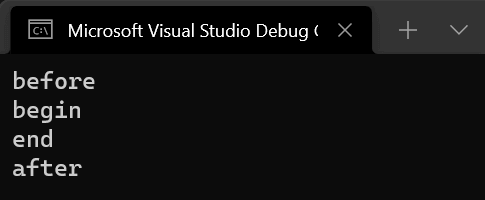
You can see that messages are in the expected order in the console:
#Additional Resources
Do you have a question or a suggestion about this post? Contact me!
