After installing Windows Terminal, it uses Windows PowerShell (the legacy version) by default. I prefer using PowerShell 7 instead to take advantage of its new features. Windows Terminal is configurable via a JSON file, so changing the default shell is straightforward.
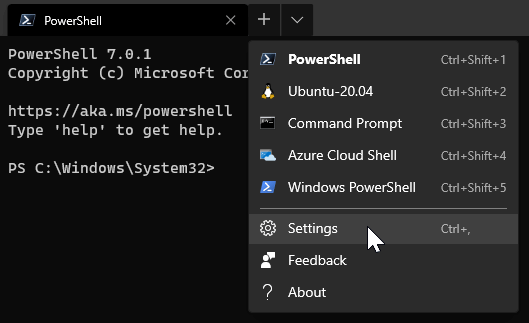
Open the configuration file using the menu:
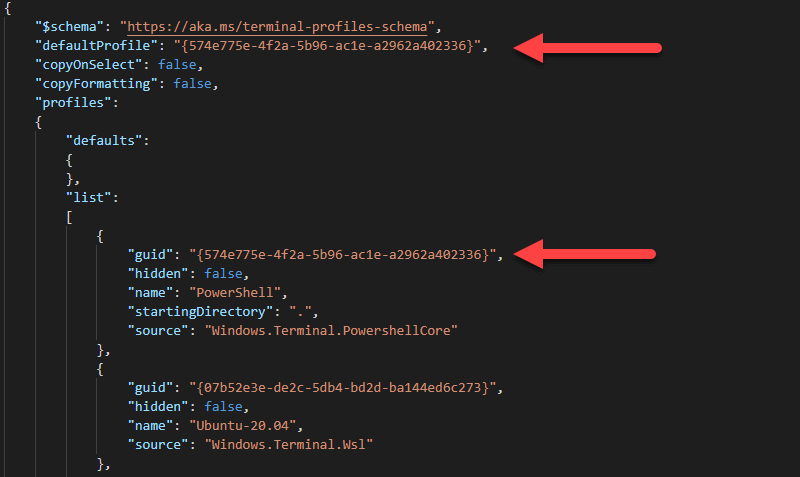
Next, change the default profile. Find the profile you want as the default and copy its guid into the defaultProfile field. In this example, I want Windows.Terminal.PowershellCore to be the default:
#Additional resources
Do you have a question or a suggestion about this post? Contact me!
