With recent versions of Visual Studio, you no longer need to manage using directives manually. VS can add and remove them automatically, making it unnecessary to keep them visible in the editor. Fortunately, Visual Studio includes options to hide them by default.
Here is how to configure Visual Studio to handle using directives automatically.
#Collapsing using directives automatically
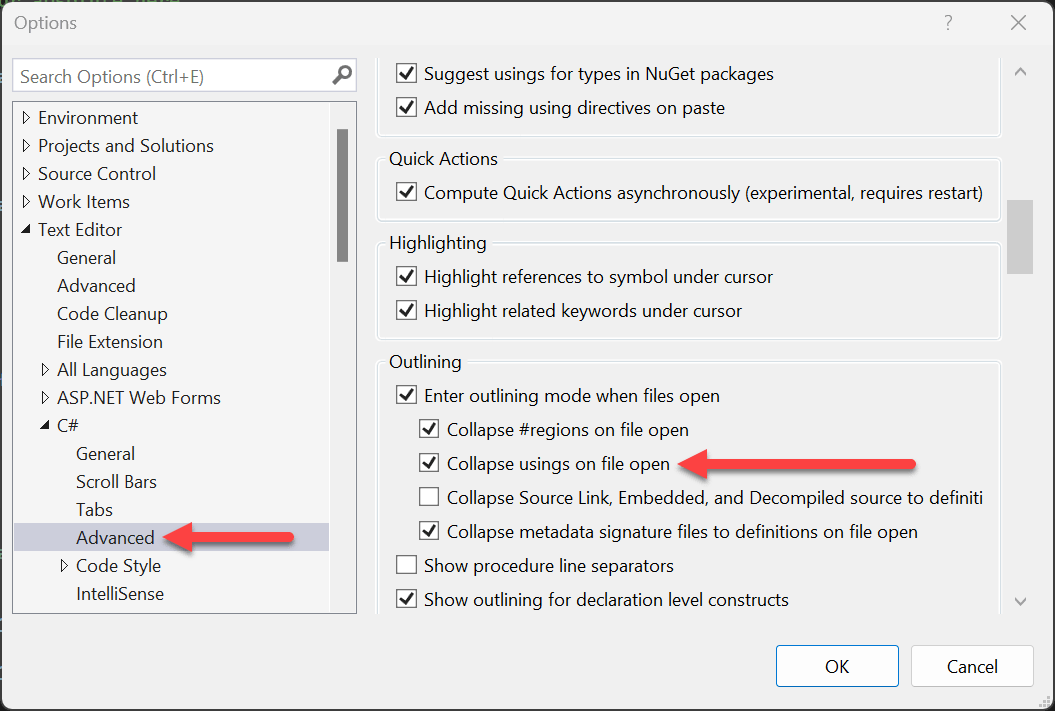
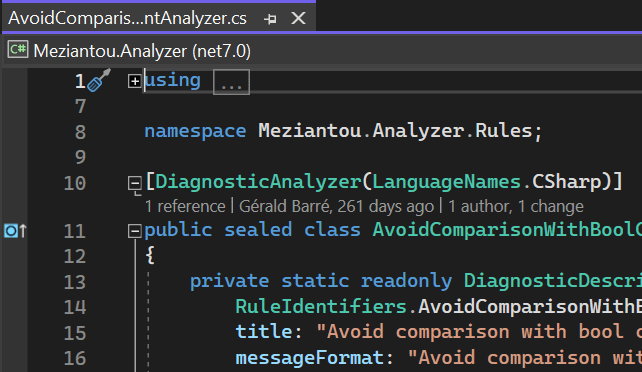
When you open a file, VS will automatically collapse all using directives:
#Adding using directives
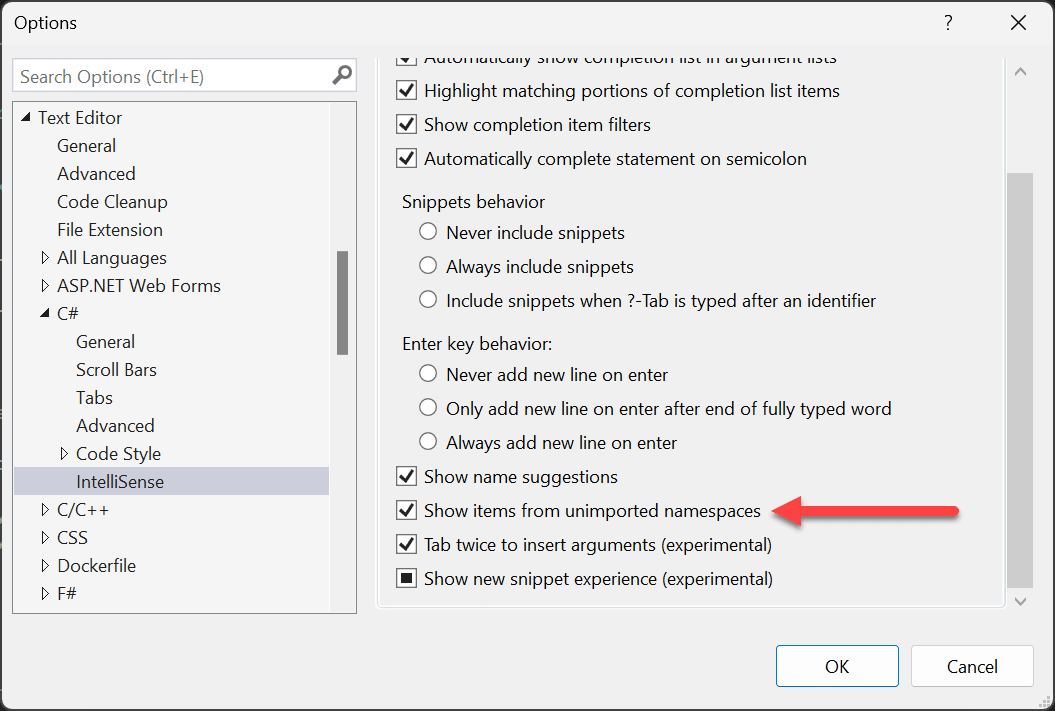
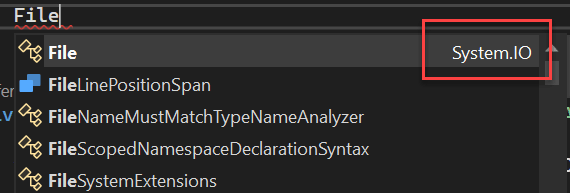
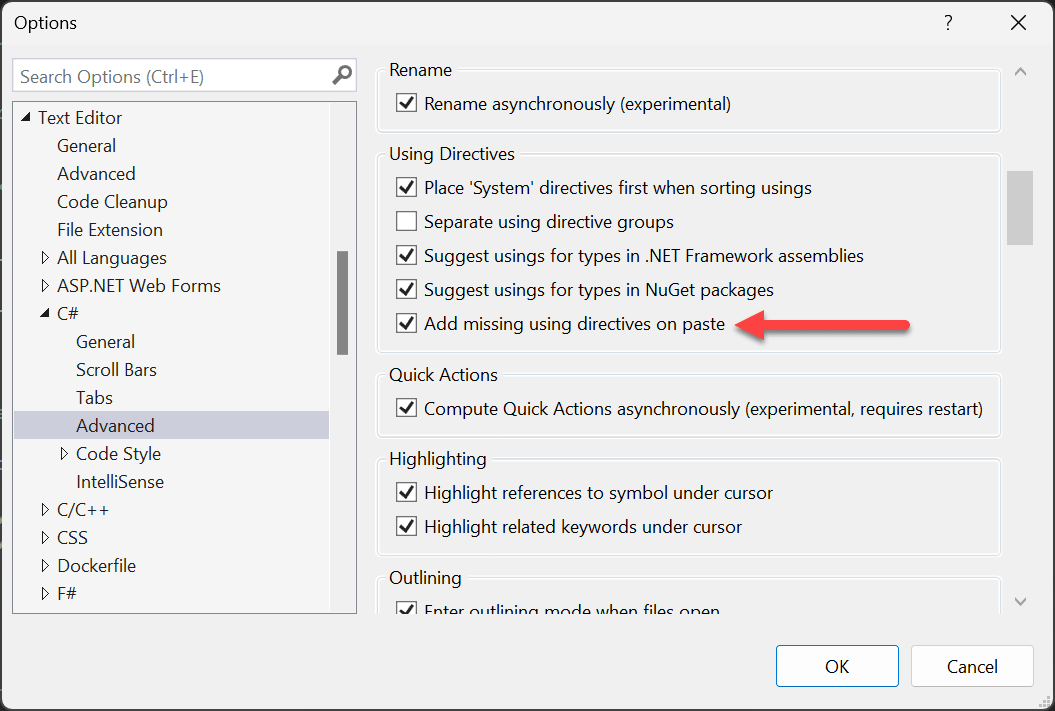
Visual Studio can show types from unimported namespaces in IntelliSense. When you select an item, Visual Studio automatically adds the required using directive. You can also have using directives added automatically when pasting code.
#Cleaning up unused usings
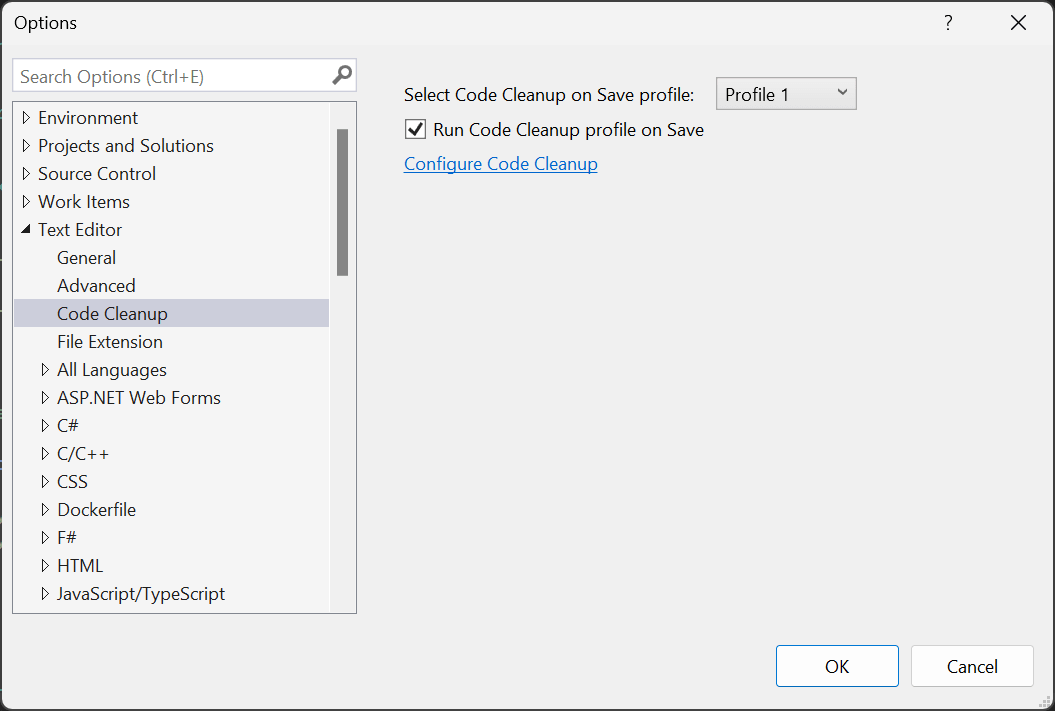
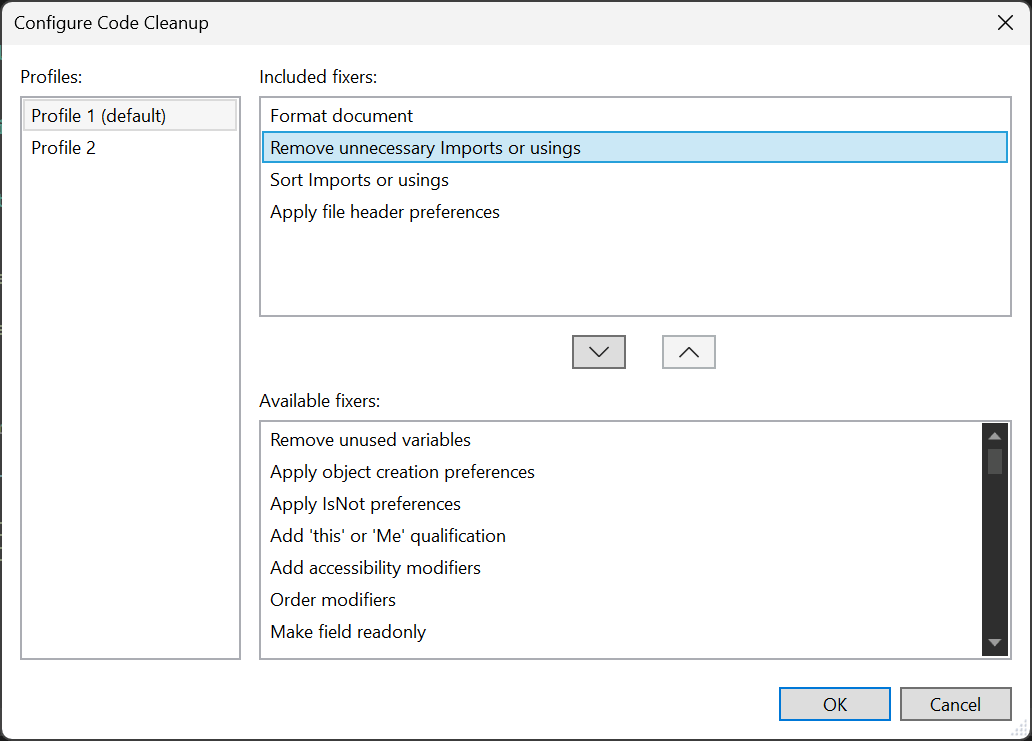
To remove unused using directives, configure Visual Studio to run Code Cleanup when saving.
Do you have a question or a suggestion about this post? Contact me!
