#Step 1 - Create your NuGet feed using MyGet
I use MyGet to publish packages for CI. The service is free as long as you don't exceed 500MB, which keeps in-development packages off NuGet.org. The 500MB limit is generous, and you can configure retention rules to automatically delete old package versions.
Go to https://www.myget.org to create your first feed. Once you complete the steps, you should get this screen:
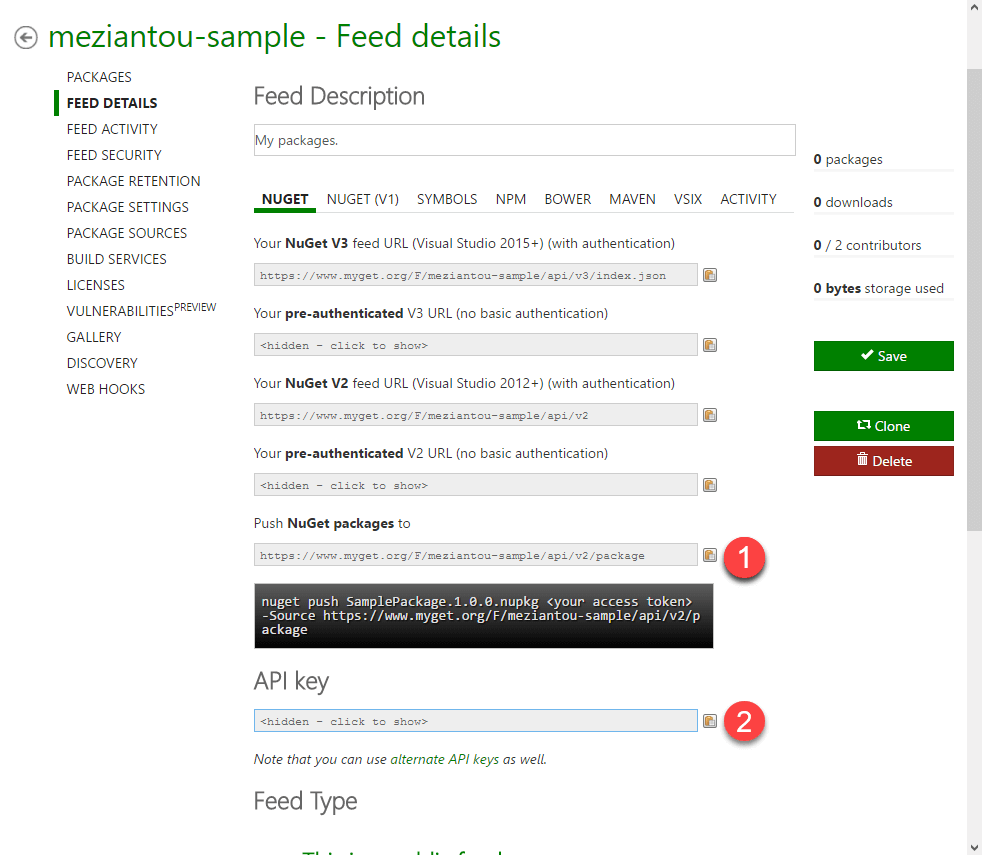
The 1 is the URL to push packages. The 2 is the key to publish packages. You'll need this information later to configure the build task.
#Step 2 - Create the VSTS build
Create service
To configure the NuGet Publisher task, you must add the MyGet endpoint. Go to the project settings, select "Services", and add a generic service endpoint with the URL of the MyGet feed (number 1 in the previous screenshot).

Add the NuGet Packager task. Select an automatic versioning mode so every build generates a unique package version.
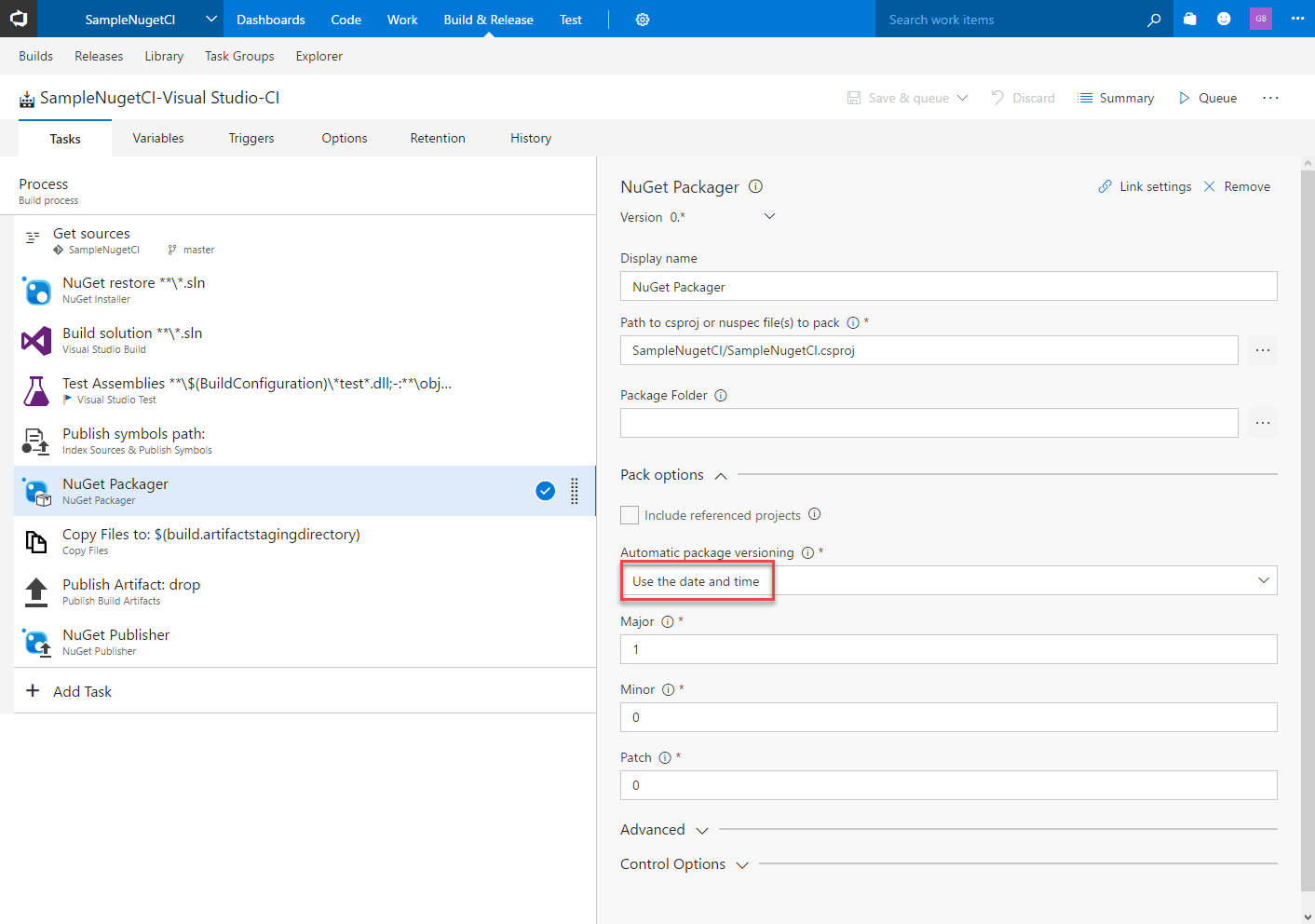
Add the NuGet Publisher task. Select the server endpoint and enter the API key.

Configure the build to run after each check-in
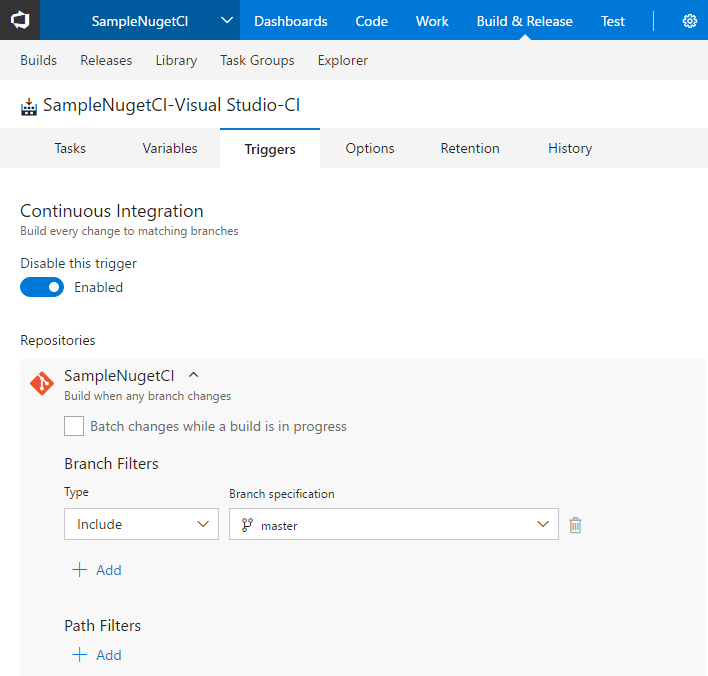
You can now run a build and see the package on MyGet.
You need to configure the NuGet client to use the MyGet feed in Visual Studio.
Create a NuGet.config file at the root folder of your solution.
Add the NuGet V3 feed URL
XML
<?xml version="1.0" encoding="utf-8"?>
<configuration>
  <packageSources>
    <add key="MyGet feed" value="https://www.myget.org/F/meziantou-sample/api/v3/index.json" />
  </packageSources>
</configuration>
Restart Visual Studio
#Conclusion
In about 5 minutes, you can configure VSTS to deploy your NuGet packages to MyGet after every check-in.
Do you have a question or a suggestion about this post? Contact me!
