Blazor applications and libraries are built from many components, each potentially reused by others. By default, global site CSS applies to all HTML generated by your components. In some cases, you may want to isolate a component's styles. Blazor now supports CSS isolation. This post explains how to use it and how it works.
#How to use CSS isolation in Blazor
Let's create 2 basic components:
Razor
<div>
    <h1>Component1 - h1</h1>

    <Component2 />
</div>
Razor
<h1>Component2 - h1</h1>
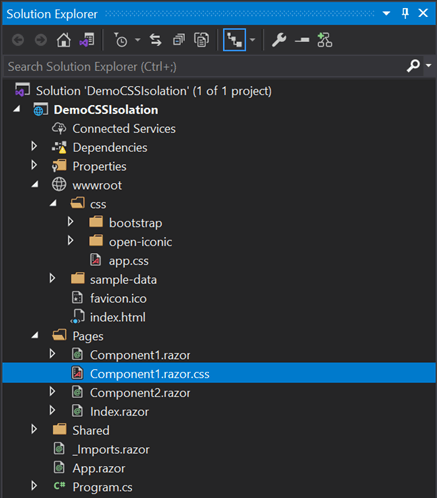
To add scoped CSS to a component, create a CSS file with the same name as the component, suffixed with .css:
CSS
h1 {
    color: red;
}
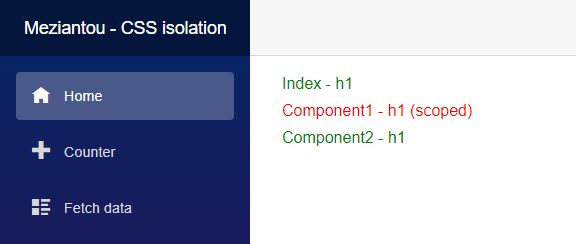
The h1 element in the first component is red due to CSS isolation, while other h1 elements continue to use the global CSS.
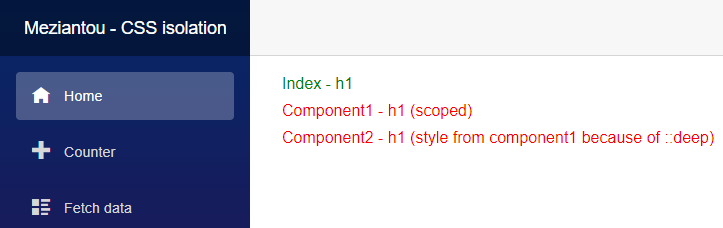
By default, scoped CSS does not apply to child components. To apply styles to all descendant components, use the ::deep pseudo-selector.
CSS
::deep h1 {
    color: red;
}
#How CSS isolation works
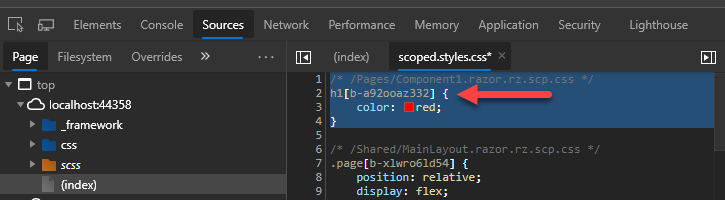
When CSS isolation is used, Blazor generates a combined CSS file at _framework/scoped.styles.css containing the styles from all scoped CSS files.
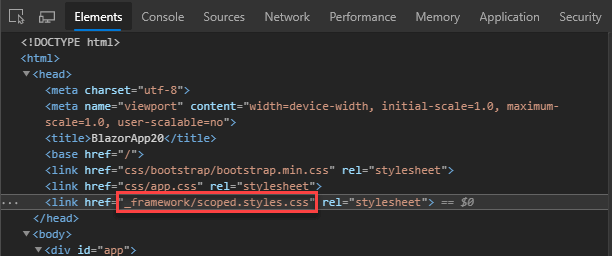
In this file, the compiler rewrites all rules using a unique attribute selector. For this component, the selector is [b-a92ooaz332], which is automatically generated per component.
Adding the attribute selector increases the specificity of the selector, so it can override global styles. It also scopes the styles to the component's elements, since only those elements carry the generated attribute.
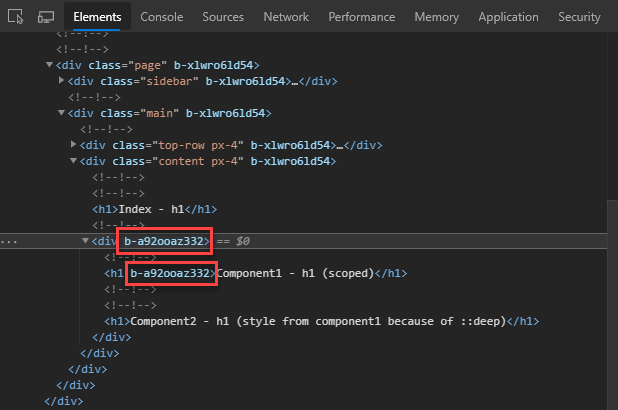
When rendering HTML, the component adds this attribute to all of its HTML elements.
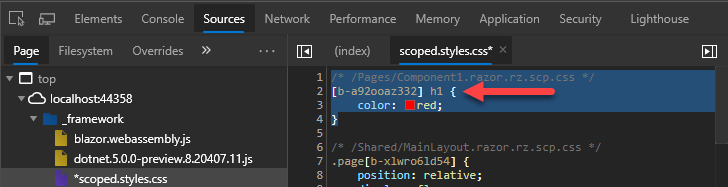
With the ::deep pseudo-selector, the rendered HTML is unchanged, but the generated CSS differs slightly. The selector is prefixed with the scoped attribute, allowing it to match the entire element hierarchy:
However, the ::deep selector does not match elements at the root of the component. It only matches descendants of an element carrying the generated attribute, so root-level elements are excluded.
HTML
<h1 b-a92ooaz332>Not styled by scoped CSS with ::deep</h1> <!-- [b-a92ooaz332] h1 doesn't match this element -->
<div b-a92ooaz332>
    <h1 b-a92ooaz332>Styled by scoped CSS</h1>
</div>
There are two ways to work around this issue:
Use 2 selectors:
CSS
h1, ::deep h1 { /* Applies to current component and any descendant component */
    color: red;
}
Wrap the component content with a div:
HTML
<div>
    <h1>Not styled by scoped CSS with ::deep</h1>
</div>
There are known CSS rewriting bugs in this preview version, expected to be fixed in the November release. If you encounter any issues, please open an issue.
Do you have a question or a suggestion about this post? Contact me!
