When a Blazor WebAssembly application loads, it first downloads blazor.webassembly.js and all the .NET assemblies of the application. Until everything is loaded, it displays an ugly loading message:
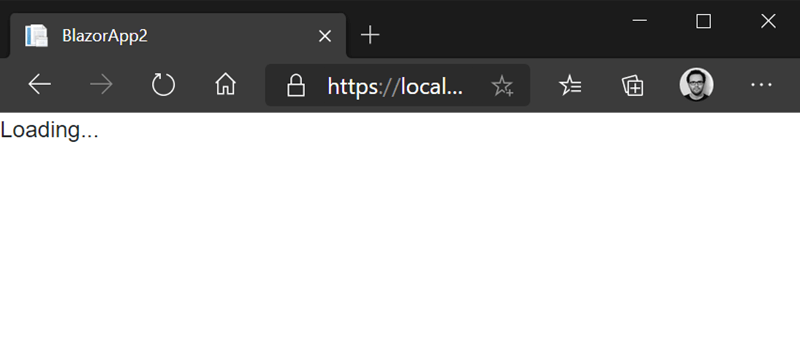
This message can remain visible for several seconds, depending on the application size and the client's connection speed. Replacing it with something that matches your application design is a good idea, and fortunately it is straightforward. The message is defined in wwwroot/index.html:
HTML
<!DOCTYPE html>
<html lang="en">

<head>
    <meta charset="utf-8" />
    <title>Meziantou - Loading</title>
    <base href="/" />
    <link href="css/bootstrap/bootstrap.min.css" rel="stylesheet" />
    <link href="css/app.css" rel="stylesheet" />
    <link href="BlazorApp1.styles.css" rel="stylesheet" />
</head>

<body>
    <!-- 👇 Here -->
    <div id="app">Loading...</div>

    <div id="blazor-error-ui">
        An unhandled error has occurred.
        <a href="" class="reload">Reload</a>
        <a class="dismiss">🗙</a>
    </div>
    <script src="_framework/blazor.webassembly.js"></script>
</body>

</html>
You can replace the loading content with anything you like, as long as it fits inside the app element. Blazor clears everything in this element once the application starts. Here is a more polished loading screen example (fair warning: I am a developer, not a designer):
HTML
<!DOCTYPE html>
<html lang="en">
<head>
    <meta charset="utf-8" />
    <title>Meziantou - Loading</title>
    <base href="/" />
    <link href="css/bootstrap/bootstrap.min.css" rel="stylesheet" />
    <link href="css/app.css" rel="stylesheet" />
    <link href="BlazorApp1.styles.css" rel="stylesheet" />
</head>

<body>
    <div id="app">
      <div style="position:absolute; top:30vh; width:100%; text-align:center">
        <h1>My application</h1>
        <div style="display:flex; gap:10px; justify-content:center; align-items:center">
          <div class="spinner-border" role="status"></div>
          The application is loading...
        </div>
      </div>
    </div>

    <div id="blazor-error-ui">
        An unhandled error has occurred.
        <a href="" class="reload">Reload</a>
        <a class="dismiss">🗙</a>
    </div>
    <script src="_framework/blazor.webassembly.js"></script>
</body>
</html>
Once the Blazor application is loaded, you may need to perform some initialization before the user can interact with it. In that case, you may still want to display the loading screen during initialization. The next post covers how to show a loading screen while initializing a Blazor application.
#Additional resources
Do you have a question or a suggestion about this post? Contact me!
