In Solution Explorer, you can nest files under other files:
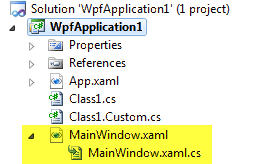
Here is how to achieve the same nesting with Class1.cs and Class1.Custom.cs. The key is in the project file (.csproj): find the Class1.Custom.cs entry and specify its parent using the DependentUpon element.
MSBuild project file
<Compile Include="Class1.cs" />
<Compile Include="Class1.Custom.cs">
    <DependentUpon>Class1.cs</DependentUpon>
</Compile>
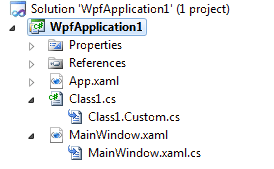
And here's the result:
Do you have a question or a suggestion about this post? Contact me!
