Application Insights collects a wide range of telemetry: requests, traces, events, metrics, and more. For high-traffic sites, the volume of data can grow quickly, which increases costs. While Application Insights is affordable, you may still want to reduce your bill. One approach is sampling: sending only a percentage of events. The other approach is to filter out low-value events. For example, if you use Application Insights primarily to diagnose errors, you might want to exclude successful requests.
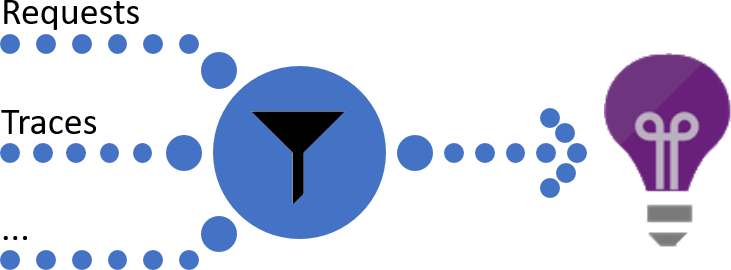
The Application Insights SDK provides an interface for manipulating telemetry events: ITelemetryProcessor. This interface lets you modify events, for example to add properties or remove sensitive data. It also allows filtering events. Telemetry processors are chained: each processor handles an event and passes it to the next one. A processor can also discard an event by not forwarding it to the next processor. We will use this mechanism to filter events.
First, create a class that implements ITelemetryProcessor. This class will filter request events with status code 200.
C#
public class MyTelemetryProcessor : ITelemetryProcessor
{
    private ITelemetryProcessor _next;

    public MyTelemetryProcessor(ITelemetryProcessor next)
    {
        // Next TelemetryProcessor in the chain
        _next = next;
    }

    public void Process(ITelemetry item)
    {
        if (item is RequestTelemetry request)
        {
            if (request.ResponseCode == "200")
            {
                // Filter the event
                return;
            }
        }

        // Send the item to the next TelemetryProcessor
        _next.Process(item);
    }
}
Then, you need to configure Application Insights to use MyTelemetryProcessor. In the Startup.cs file, add the following code in the Configure method:
C#
public void Configure(IApplicationBuilder app)
{
    var configuration = app.ApplicationServices.GetService<TelemetryConfiguration>();
    configuration.TelemetryProcessorChainBuilder.Use(next => new MyTelemetryProcessor(next));
    configuration.TelemetryProcessorChainBuilder.Build();

    // ...
}
Your filter is now configured and active. You can customize it further to remove other types of events. For example, you can exclude specific traces based on their category:
C#
public void Process(ITelemetry item)
{
    if (item is TraceTelemetry trace)
    {
        if (trace.Properties.TryGetValue("CategoryName", out var category) &&
            category == "Microsoft.AspNetCore.StaticFiles.StaticFileMiddleware")
        {
            return;
        }
    }

    _next.Process(item);
}
If you run a public website, you will likely receive many requests to the WordPress login page /wp-login.php. If you are not using WordPress, you can filter out these events:
C#
public void Process(ITelemetry item)
{
    if (item is RequestTelemetry request)
    {
        // The url is not handled, so 404
        if (string.Equals(request.ResponseCode, "404", StringComparison.Ordinal))
        {
            var path = request.Url?.AbsolutePath;
            if (path != null && path.EndsWith("/wp-login.php", StringComparison.OrdinalIgnoreCase))
            {
                return;
            }
        }
    }

    Next.Process(item);
}
#Conclusion
The Application Insights SDK gives you full control over the data sent to Azure. You can augment events with custom data, edit events to remove sensitive data, or filter out unwanted events. This helps you better detect and diagnose issues and understand usage patterns in your web apps.
#Additional resources
Do you have a question or a suggestion about this post? Contact me!
