Before executing sensitive actions, such as purchasing something or showing sensitive data, you need both user consent and confirmation that the legitimate user is performing the action. Windows provides an API specifically designed for this.
First, you need to indicate the project targets Windows by setting the TargetFramework property in the .csproj file:
csproj (MSBuild project file)
<Project Sdk="Microsoft.NET.Sdk">
  <PropertyGroup>
    <OutputType>Exe</OutputType>
    <TargetFramework>net6.0-windows10.0.17763.0</TargetFramework>
  </PropertyGroup>
</Project>
Then, you can use the Windows-specific API to get consent:
C#
async Task<bool> ConsentAsync(string reason)
{
    var availability = await Windows.Security.Credentials.UI.UserConsentVerifier.CheckAvailabilityAsync();
    if (availability == Windows.Security.Credentials.UI.UserConsentVerifierAvailability.Available)
    {
        var result = await Windows.Security.Credentials.UI.UserConsentVerifier.RequestVerificationAsync(reason);
        return result == Windows.Security.Credentials.UI.UserConsentVerificationResult.Verified;
    }

    return false;
}
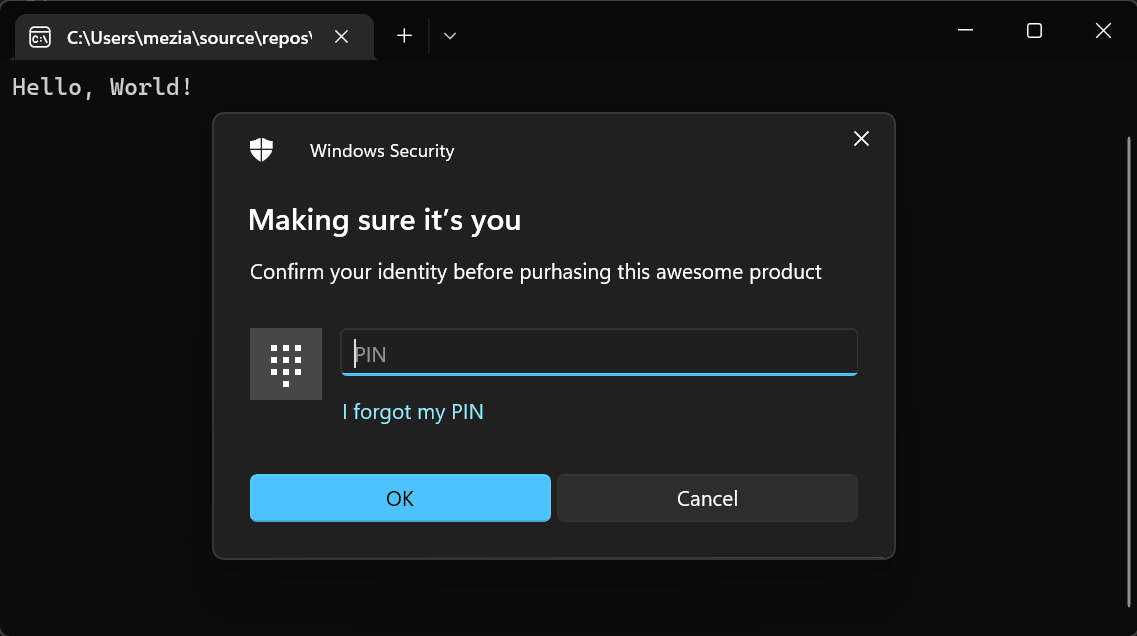
You can use the ConsentAsync method before executing an action:
C#
if (await ConsentAsync("Confirm your identity before purhasing this awesome product"))
{
    Console.WriteLine("Purchase an awesome product");
}
else
{
    Console.WriteLine("Cannot purchase an awesome product");
}
#Additional resources
Do you have a question or a suggestion about this post? Contact me!
