SARIF (Static Analysis Results Interchange Format) is an OASIS standard that defines a common output format for static analysis tools, making results easier to share and consume. SARIF is a JSON-based format that is easy to parse. Many tools support it, including Visual studio Code and Visual Studio. GitHub also supports this format to report static analysis results. You can upload a SARIF file to GitHub and view the results in the security tab. For more information, see Uploading a SARIF file to GitHub.
Many tools can output SARIF files, including the .NET SDK and ESLint. For .NET, the file generated by the compiler includes compiler errors, warnings, and Roslyn analyzer results.
Generating a SARIF file from a .NET project is straightforward. Set the ErrorLog property in the project file to specify the output file name. First, create a new console project:
dotnet new console --name SarifExample
Then, update the csproj file to include the ErrorLog property:
SarifExample.csproj (csproj (MSBuild project file))
<Project Sdk="Microsoft.NET.Sdk">
  <PropertyGroup>
    <OutputType>Exe</OutputType>
    <TargetFramework>net9.0</TargetFramework>
    <ImplicitUsings>enable</ImplicitUsings>
    <Nullable>enable</Nullable>
    <ErrorLog>example.sarif,version=2.1</ErrorLog>
  </PropertyGroup>
</Project>
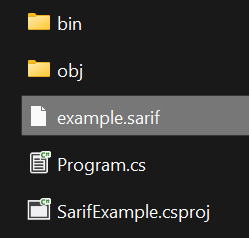
With this property set, run dotnet build to generate the SARIF file:
Shell
dotnet build
Do you have a question or a suggestion about this post? Contact me!
