When a test fails, having as much context as possible is key to diagnosing the issue. If your application uses ILogger, capturing those logs can help you understand exactly what went wrong. By default, however, xUnit does not display logs in its test output. You can change this by using a custom ILoggerProvider that writes logs to ITestOutputHelper. I covered this topic a few years ago, but have since created a NuGet package to make it easier.
Install the NuGet package or Meziantou.Extensions.Logging.Xunit.v3 depending on the version of xUnit you are using to get the XUnitLoggerProvider:
Shell
# If you are using xUnit v2
dotnet add package Meziantou.Extensions.Logging.Xunit

# If you are using xUnit v3
dotnet add package Meziantou.Extensions.Logging.Xunit.v3
C#
public class UnitTest1
{
    private readonly ITestOutputHelper _testOutputHelper;

    public UnitTest1(ITestOutputHelper testOutputHelper)
    {
        _testOutputHelper = testOutputHelper;
    }

    [Fact]
    public async Task Test1()
    {
        using var factory = new WebApplicationFactory<Program>()
            .WithWebHostBuilder(builder =>
            {
                builder.ConfigureLogging(builder =>
                {
                    // You can override the logging configuration if needed
                    //builder.SetMinimumLevel(LogLevel.Trace);
                    //builder.AddFilter(_ => true);

                    // Register the xUnit logger provider
                    builder.Services.AddSingleton<ILoggerProvider>(new XUnitLoggerProvider(_testOutputHelper, appendScope: false));
                });
            });

        // Call the method to test
        using var client = factory.CreateClient();
        var str = await client.GetStringAsync("/user/me");

        // Make sure the test fails, so the logs are displayed
        Assert.Fail("");
    }
}
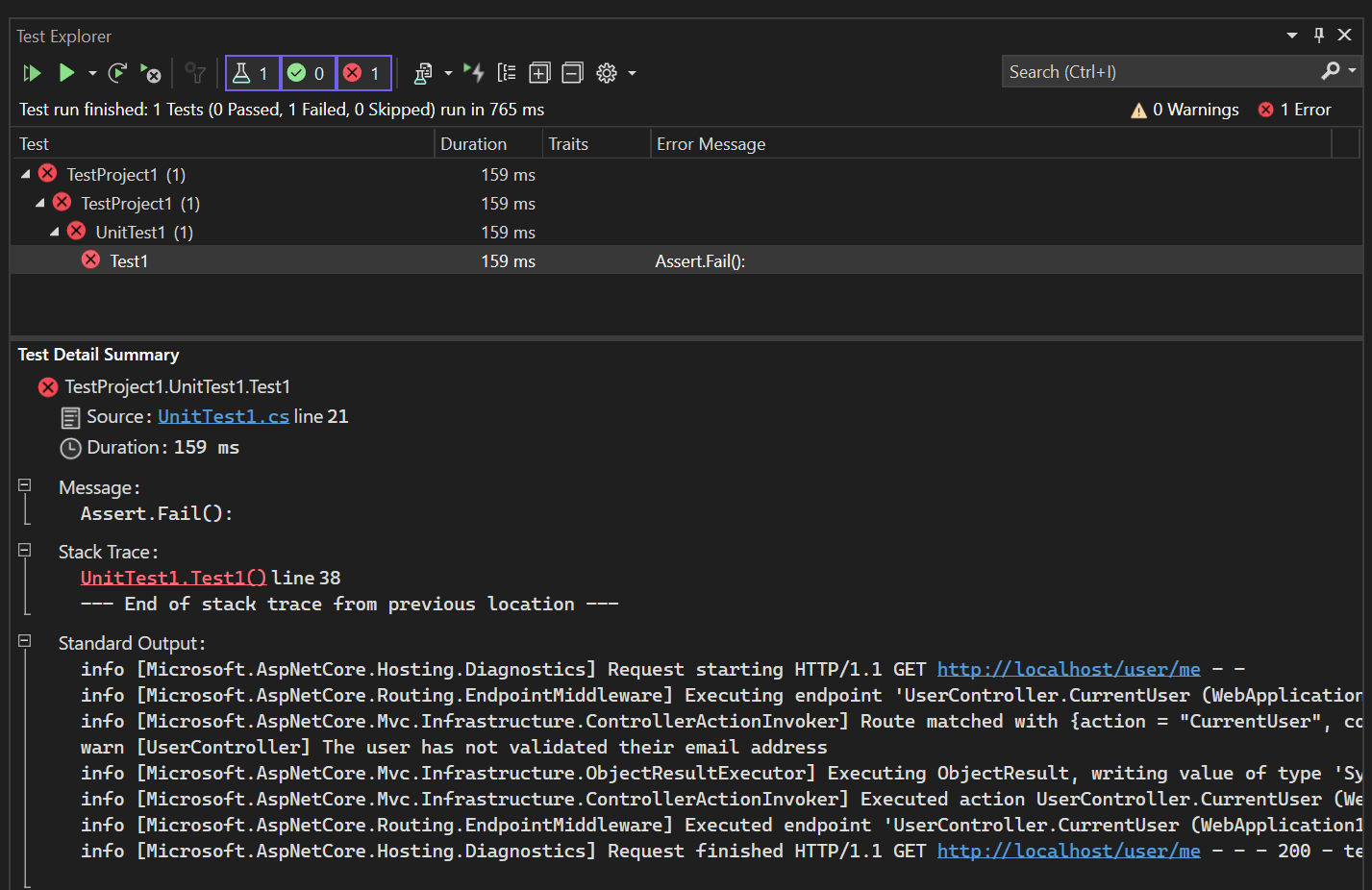
You can now view the logs of the application in the test explorer:
The output is also available when using dotnet test, and so when running on the CI:
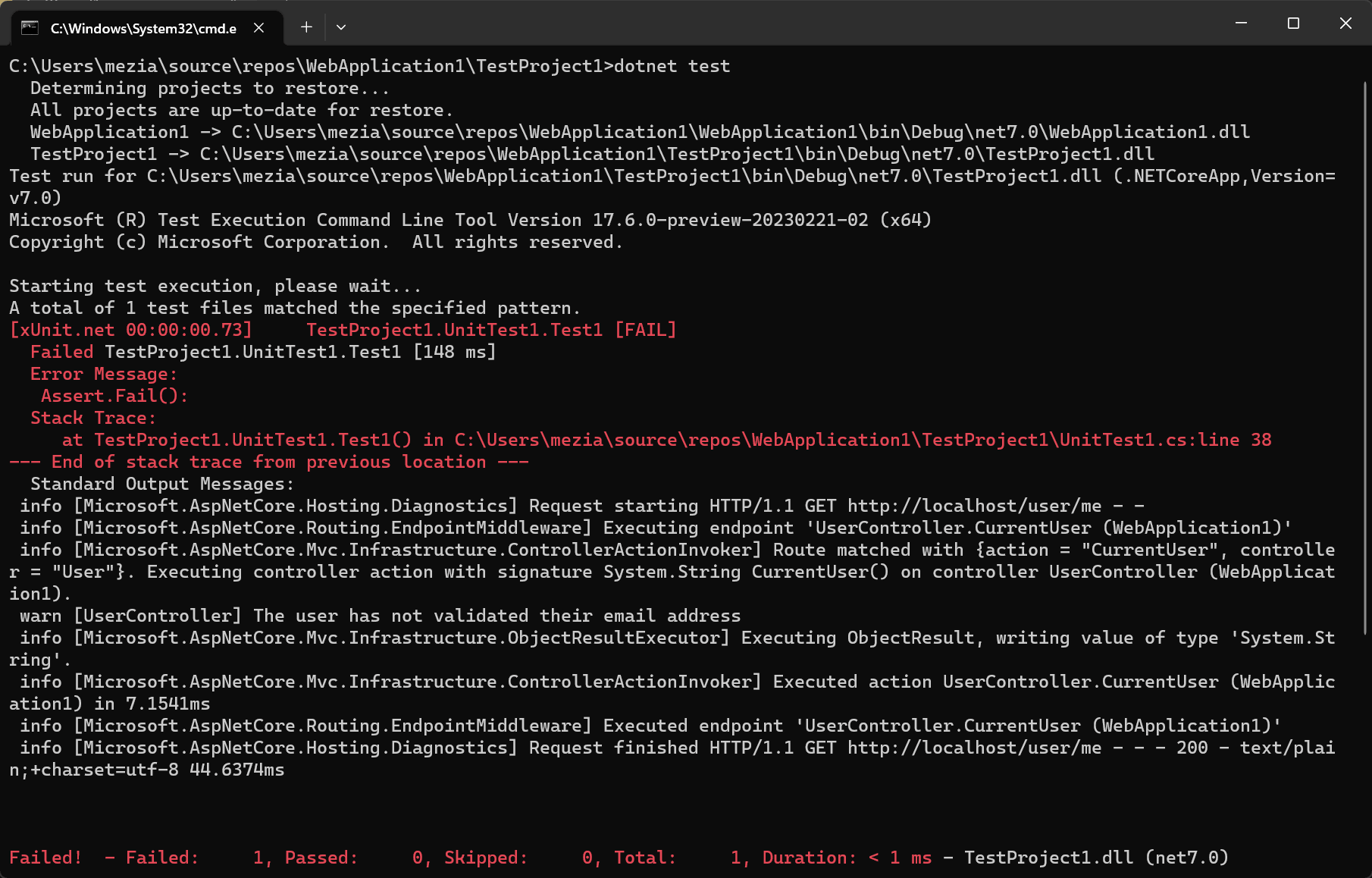
The logs are also available in trx and junit report files, giving you a consistent experience in Visual Studio, the CLI, and your CI pipeline.
Do you have a question or a suggestion about this post? Contact me!
