Interpolated strings are very common in C#. For example, $"Hello {name}! You are {age} years old." is evaluated using the current culture. To use an invariant culture instead, you can call FormattableString.Invariant($"..."). Starting with .NET 6 and C# 10, string.Create(culture, $"...") lets you evaluate an interpolated string using a specific culture, including the invariant culture.
This method is faster and allocates less memory than FormattableString.Invariant, thanks to the interpolated string handlers feature introduced in .NET 6.
#Benchmark
C#
using System.Globalization;
using BenchmarkDotNet.Attributes;

namespace Benchmark;

[MemoryDiagnoser]
[ReturnValueValidator]
public class StringCreateBenchmark
{
    int a = 1;
    DateTime b = DateTime.UtcNow;

    [Benchmark]
    public string StringCreate()
    {
        return string.Create(CultureInfo.InvariantCulture, $"text {a} test {b}");
    }

    [Benchmark]
    public string FormattableStringInvariant()
    {
        return FormattableString.Invariant($"text {a} test {b}");
    }
}
BenchmarkDotNet=v0.13.1, OS=Windows 10.0.22622
AMD Ryzen 7 5800X, 1 CPU, 16 logical and 8 physical cores
.NET SDK=7.0.100-preview.7.22377.5
  [Host]     : .NET 7.0.0 (7.0.22.37506), X64 RyuJIT
  DefaultJob : .NET 7.0.0 (7.0.22.37506), X64 RyuJIT
| Method | Mean | Error | StdDev | Ratio | Gen 0 | Allocated |
|---|
| FormattableString | 171.6 ns | 2.32 ns | 2.06 ns | 1.00 | 0.0124 | 208 B |
| String.Create | 149.5 ns | 1.15 ns | 1.07 ns | 0.87 | 0.0052 | 88 B |
#Use a Roslyn Analyzer to update your code
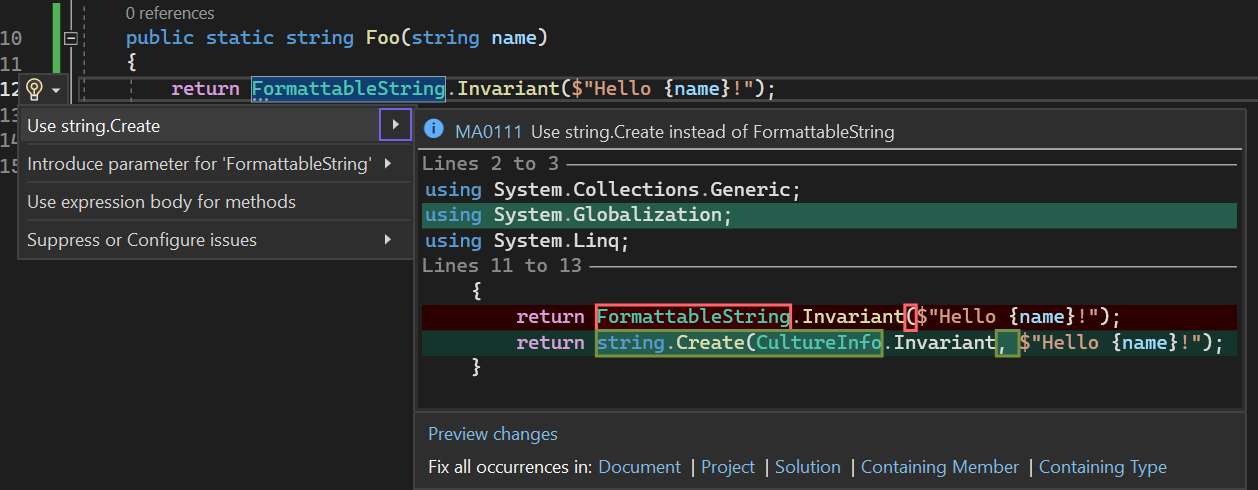
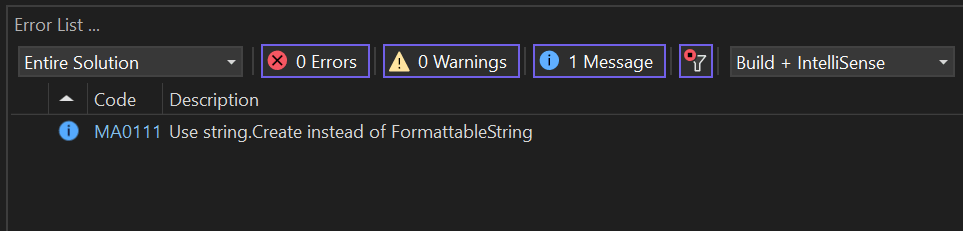
You can use Meziantou.Analyzer to automatically find and update code that can benefit from the string.Create method.
C#
dotnet add package Meziantou.Analyzer
Do you have a question or a suggestion about this post? Contact me!
