When developing an application that uses a database, you may need to initialize tables with predefined rows. For example, a "Category" table might need a few default rows as soon as the application starts. These rows are typically created using a GUI tool rather than writing SQL INSERT commands manually, then exported so other developers can import them on their own machines.
In this article, we will explore multiple ways to export and import data: either by generating a SQL script or by using the BCP utility.
#Using Microsoft SQL Server Database Publishing Wizard
SQL Server Management Studio provides a wizard to generate a SQL script from a database:
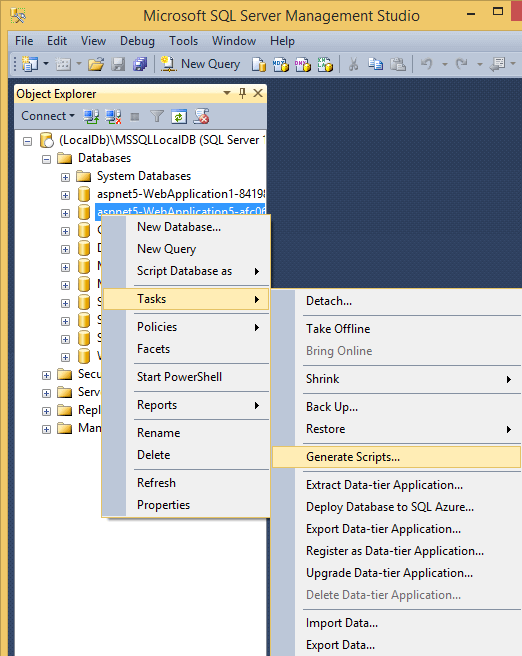
It is possible to filter the elements to be generated. If you want to export data from one or more tables, just check the desired tables:
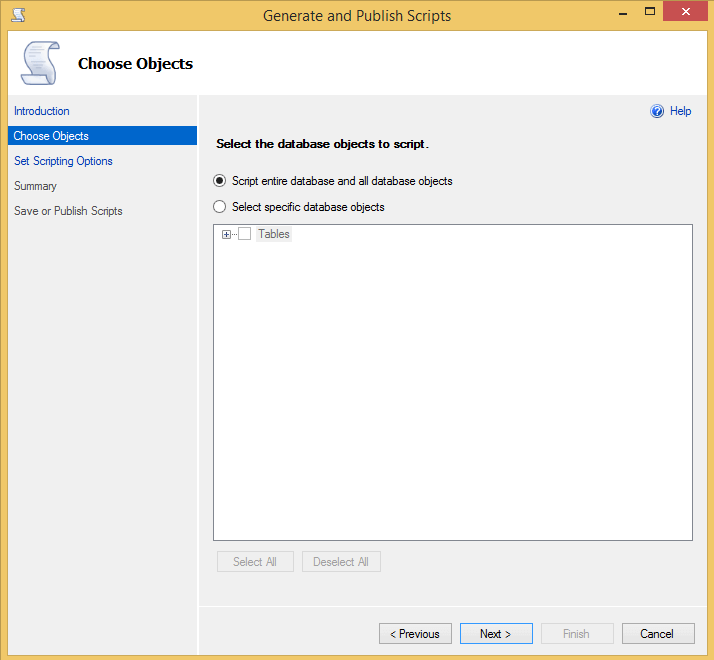
Many generation options are available in the advanced options:
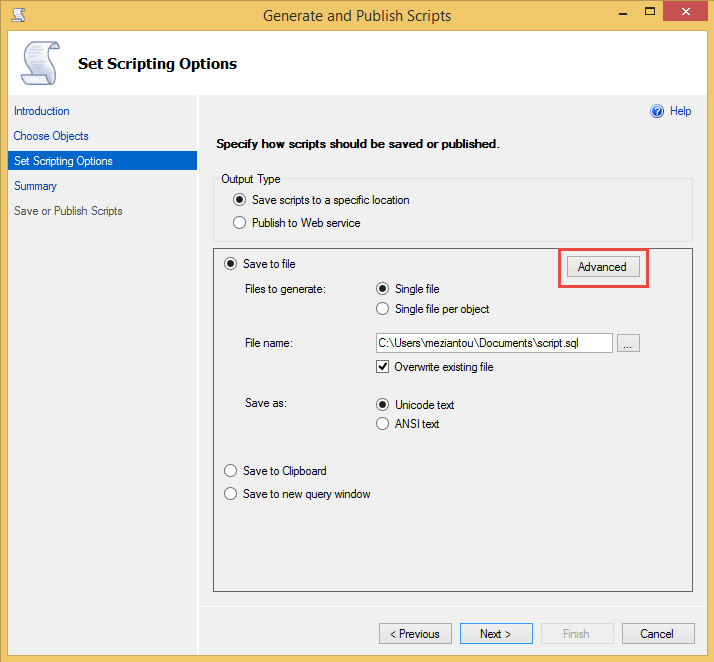
By default only the schema is generated, so you have to change this option:
And here is the generated file:
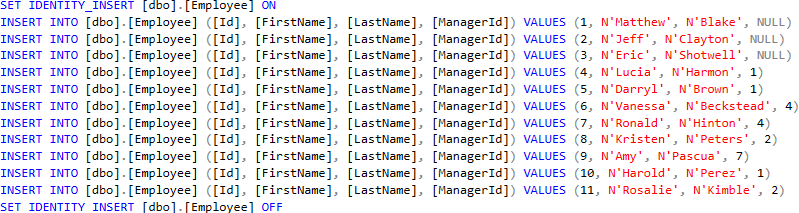
This method is straightforward thanks to the wizard. Many options are available to customize the generated script.
#Using Visual Studio
Visual Studio 2015 can generate scripts from table data:

Done!
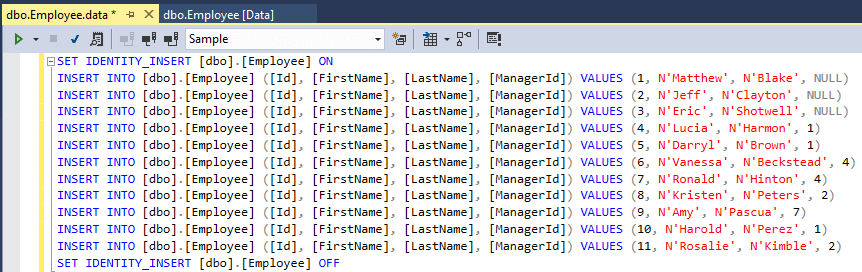
Unlike the first approach, you can only export data from one table at a time. This is less convenient when exporting multiple tables, but sufficient in many cases.
#Using BCP
BCP (Bulk Copy) is a command-line utility for quickly exporting or importing data. Unlike previous solutions, the generated file is not a sequence of INSERT commands, but a text or binary file (depending on the options)
##Export
Shell
bcp Sample.dbo.Employee out "%USERPROFILE%\desktop\export.dat" –n -N -T -S (LocalDb)\MSSQLLocalDB
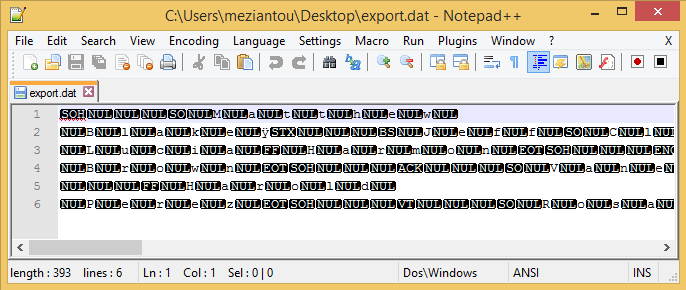
The generated file is binary and not human-readable, but easy to import into SQL Server:
##Import
Shell
bcp Sample.dbo.Employee in "%USERPROFILE%\desktop\export.dat" –n -N -T -S (LocalDb)\MSSQLLocalDB
Or in SQL
SQL
BULK INSERT dbo.Employee
    FROM 'C:\users\meziantou\desktop\export.dat'
    WITH (DATAFILETYPE='widenative');
BCP has many options to customize the export and import. For example, -E preserves the values of an auto-incremented column.
#Conclusion
You now have three different methods for exporting rows from one or more tables. If you do not need to generate an INSERT-based SQL script, BCP is the better option as it is faster. You can also find stored procedures online to generate INSERT statements (example), but they are often complex and may not fully support all SQL Server features.
Do you have a question or a suggestion about this post? Contact me!
