Webhooks are an inter-application notification mechanism. For example, GitHub can notify an application via an HTTP request after each commit to a repository. The receiving application can then react immediately to that event. Here is the GitHub screen to add a webhook:
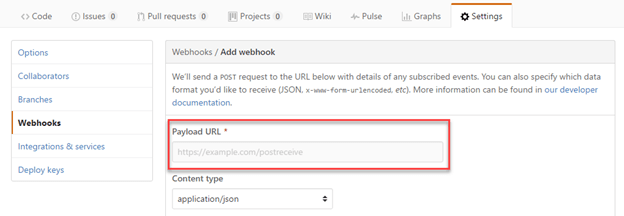
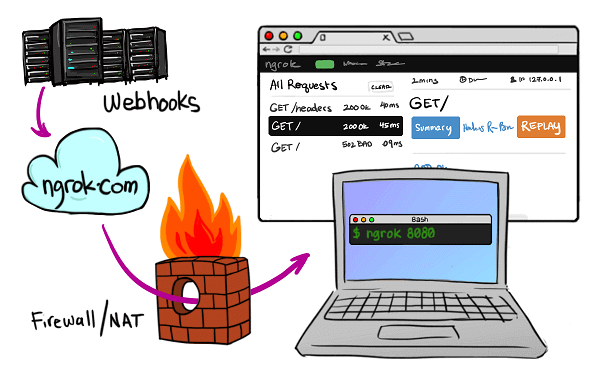
The challenge with webhooks is that the external service (here GitHub) can only call a URL that is accessible over the internet (a public address). During development, a developer's machine rarely has a public address, making it difficult to test the integration with external services. This is where ngrok comes in 😃
Ngrok creates a tunnel between your development machine and the ngrok servers. Once the tunnel is established, you get a public URL such as sample.ngrok.com that forwards traffic to your local machine. You can use this URL to test the integration with an external service.
#How to use ngrok?
First you have to create a free account on their site. This provides the authentication token needed to use the application:
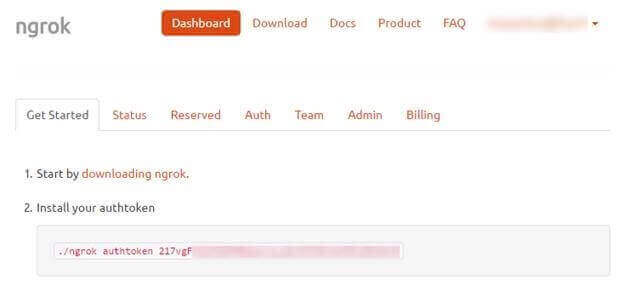
Then, you can save the token on your computer:
Shell
ngrok.exe authtoken <token>
Then, you can launch the tool by specifying the protocol (HTTP in this case) and the local port of your application:
Shell
ngrok.exe http 4242
If all goes well you should see something like this:

You can now open the inspection interface at http://localhost:4040. This console displays all HTTP requests and also allows you to replay them on demand (handy during development).
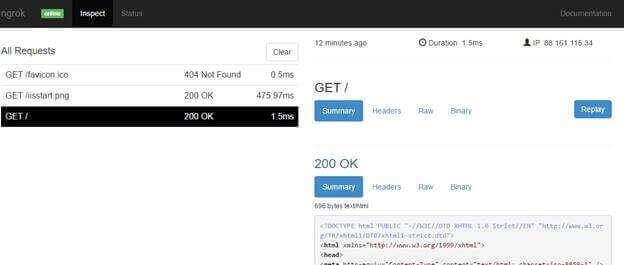
You're all set. Simply use the public URL provided by ngrok (here http://859ca31a.ngrok.io) to access your local site.
For more advanced needs, there is a paid version of ngrok. For example, it lets you reserve a subdomain, but for simple tests the free version is sufficient.
#Conclusion
Ngrok lets you expose your local machine to the internet in minutes. This is very useful for testing webhooks, but it has other uses too. For example, you can test a mobile application that calls web services hosted on your dev machine. With a bit of imagination, you will likely find many other use cases.
Do you have a question or a suggestion about this post? Contact me!
