Roslyn analyzers check your code for style, quality, maintainability, design, and other issues. .NET includes built-in analyzers (Microsoft.CodeAnalysis.NetAnalyzers), and it is very common to add others such as Microsoft.VisualStudio.Threading.Analyzers, Meziantou.Analyzer, or StyleCop.Analyzers.
Roslyn analyzers run during the build. Enabling many rules can add anywhere from a few seconds to several minutes to compilation time. While this ensures code quality, it can hurt developer productivity. Some rules may be better suited to run only on CI or during live analysis. To make informed decisions, you first need to identify which rules are the most time-consuming.
Roslyn can measure the execution of each rule. To do so, you need to add <ReportAnalyzer> to your project:
csproj (MSBuild project file)
<Project Sdk="Microsoft.NET.Sdk">
  <PropertyGroup>
    <TargetFramework>net5.0</TargetFramework>
    <ReportAnalyzer>true</ReportAnalyzer>
  </PropertyGroup>
</Project>
Now, you can build using the binary log option:
Shell
dotnet build my_project.csproj /binaryLogger
This creates a new file named msbuild.binlog:
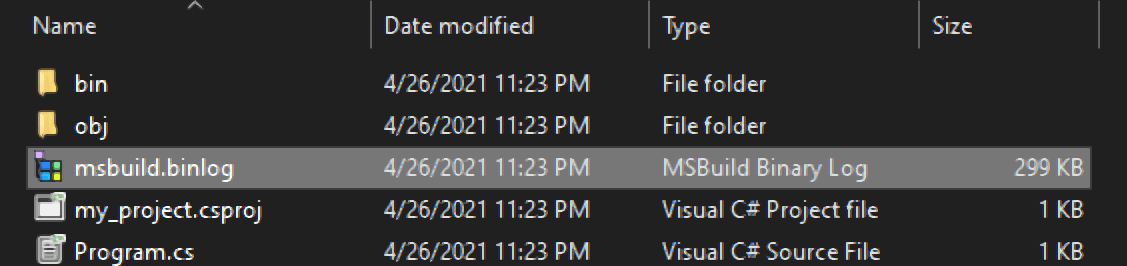
Open this file with the Binary Log Viewer. Scroll down to find the "Analyzer Summary" section, which shows the execution time for each rule:
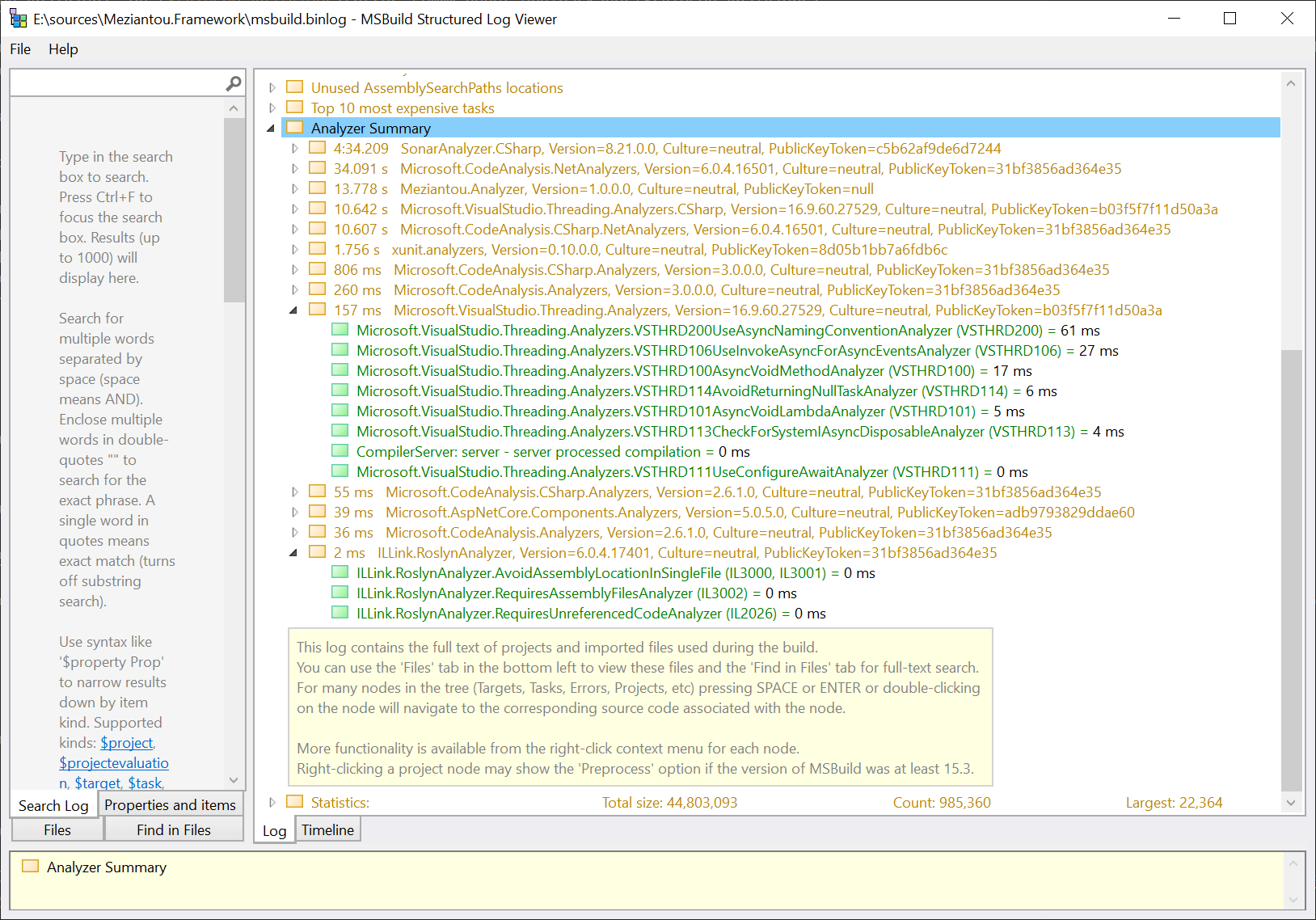
In the screenshot above, SonarAnalyzer takes more than 4 minutes. Since rules can run in parallel, this does not necessarily add 4 minutes to the build; the actual impact depends on how much Roslyn can parallelize the work and on the number of CPUs available. Even so, this is a significant cost to compilation time.
With these metrics in hand, you can adjust how analyzers run in your projects. Three MSBuild properties control analyzer behavior:
RunAnalyzersDuringBuild controls whether analyzers run at build time.RunAnalyzersDuringLiveAnalysis controls whether analyzers analyze code live at design time.RunAnalyzers disables analyzers at both build and design time. This property takes precedence over RunAnalyzersDuringBuild and RunAnalyzersDuringLiveAnalysis.
csproj (MSBuild project file)
<Project Sdk="Microsoft.NET.Sdk">
  <PropertyGroup>
    <RunAnalyzersDuringBuild>false</RunAnalyzersDuringBuild>
    <RunAnalyzersDuringLiveAnalysis>false</RunAnalyzersDuringLiveAnalysis>
    <RunAnalyzers>false</RunAnalyzers>
  </PropertyGroup>
</Project>
For example, you can set RunAnalyzersDuringBuild to false during development to speed up local builds while still receiving diagnostics from live analysis (visible in the Error List window in Visual Studio). Make sure to enable it on CI.
csproj (MSBuild project file)
<Project Sdk="Microsoft.NET.Sdk">
  <PropertyGroup>
    <RunAnalyzersDuringBuild>false</RunAnalyzersDuringBuild>
    <RunAnalyzersDuringLiveAnalysis>true</RunAnalyzersDuringLiveAnalysis>
  </PropertyGroup>
</Project>
On CI, you can build using dotnet build /p:RunAnalyzersDuringBuild=true
#Additional resources
Do you have a question or a suggestion about this post? Contact me!
