When you have multiple Visual Studio instances, the Visual Studio Installer only lets you update them one by one. This is inconvenient, as each download and installation can take a significant amount of time. Daniel Cazzulino created a .NET tool to manage Visual Studio instances. It lets you update all Visual Studio instances on your machine with a single command:
Shell
dotnet tool update -g dotnet-vs
vs update --all
Here are the available options for the vs update command:
Usage: vs update [options] [--save=]
      --rel, --release       Update release version
      --pre, --preview       Update preview version
      --int, --internal      Update internal (aka 'dogfood') version
      --sku[=VALUE]          Edition, one of [e|ent|enterprise], [p|pro|
                               professional], [c|com|community], [b|build|
                               buildtools] or [t|test|testagent]
      --filter[=VALUE]       Expression to filter VS instances. E.g. `x => x.
                               InstanceId = '123'`
      --first                Update first matching instance.
      --all                  Update all instances.
dotnet-vs includes other handy commands for managing Visual Studio instances. For example, you can use it to install specific components into an existing instance.
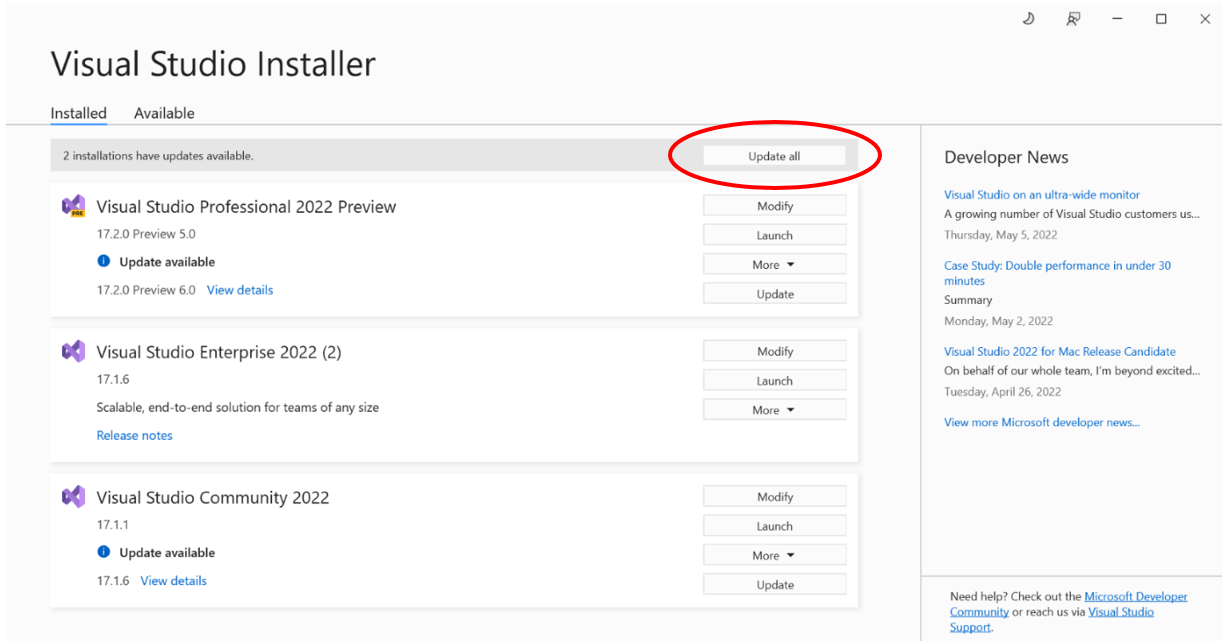
Edit May 9th, 2022: The Visual Studio Installer now supports updating all instances at once:
#Additional resources
Do you have a question or a suggestion about this post? Contact me!
