By default, web apps are unloaded when idle to conserve system resources. If you have access to the IIS configuration, you can set the idle time-out to 0 (details). If your web app is hosted on Azure, you can enable the Always on option (details).
If you cannot remove the idle time-out, here is a handy tip to keep your website online. The idea is to make requests at regular intervals (more frequently than the idle timeout) so the site is never unloaded.
This is where Application Insights comes in. One of its features is website availability testing. Best of all, this is free, and you get a detailed uptime report for your website!
Create a free Azure account
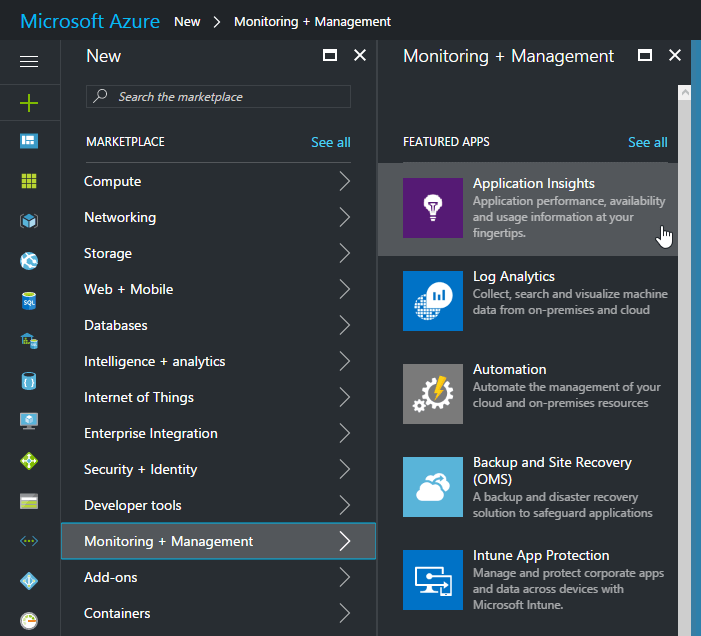
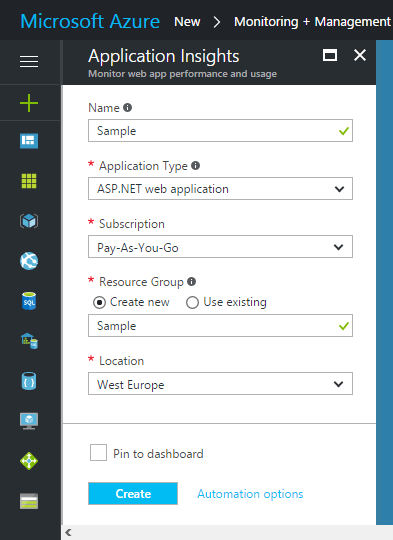
Create a new Application Insights instance
Add an availability test
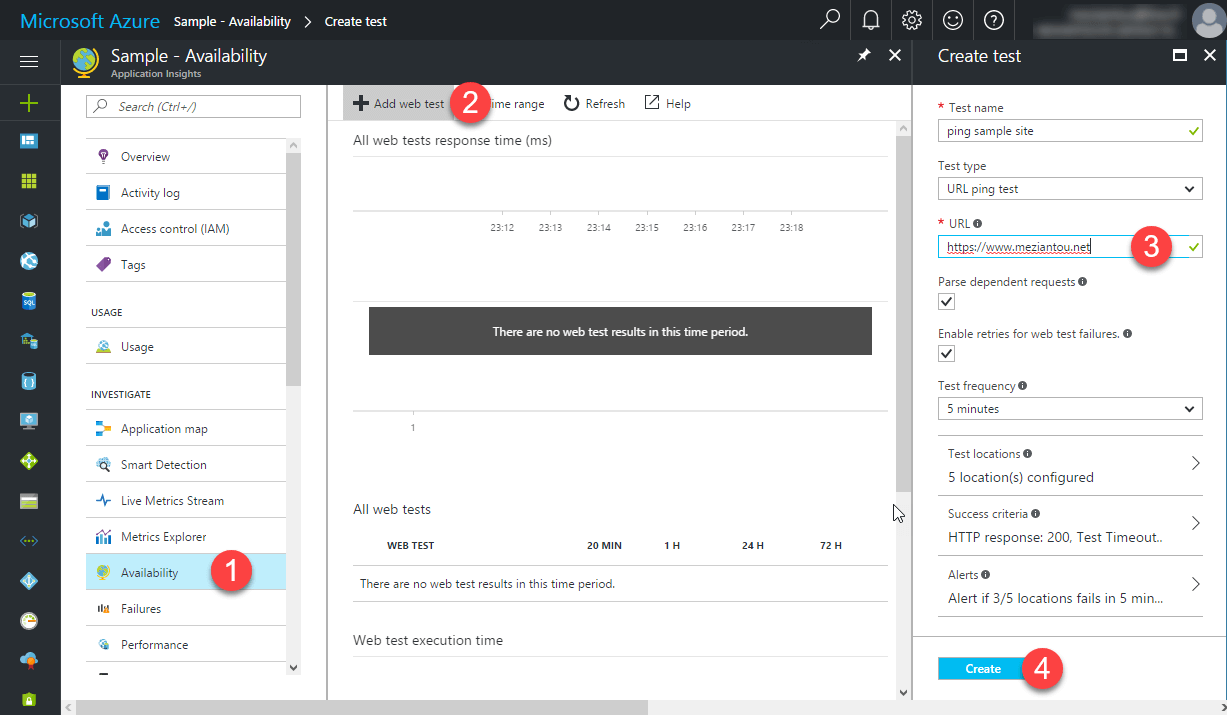
Application Insights queries your website from 5 different locations every 5 minutes, which is enough to prevent it from being unloaded. As a bonus, you get availability and performance reports.
Do you have a question or a suggestion about this post? Contact me!
